Unit 6: Integrating presentation software into teaching

With increasing
access to television, the internet and movies, learners have
become increasingly more
visual.
As teachers, instead of trying to
continue using only traditional
‘chalk and talk’ methods, there is a need
to meet our learners' need
for visual stimulation, never at the expense of good sound teaching/pedagogy
but rather to enhance the information that we are sharing with them.
This unit will guide you through using
presentation software to help you enhance your current teaching methods and
materials. For the purposes of this unit we will be using Microsoft PowerPoint
as an example of presentation software.
By the end of this lesson you will be
able to:
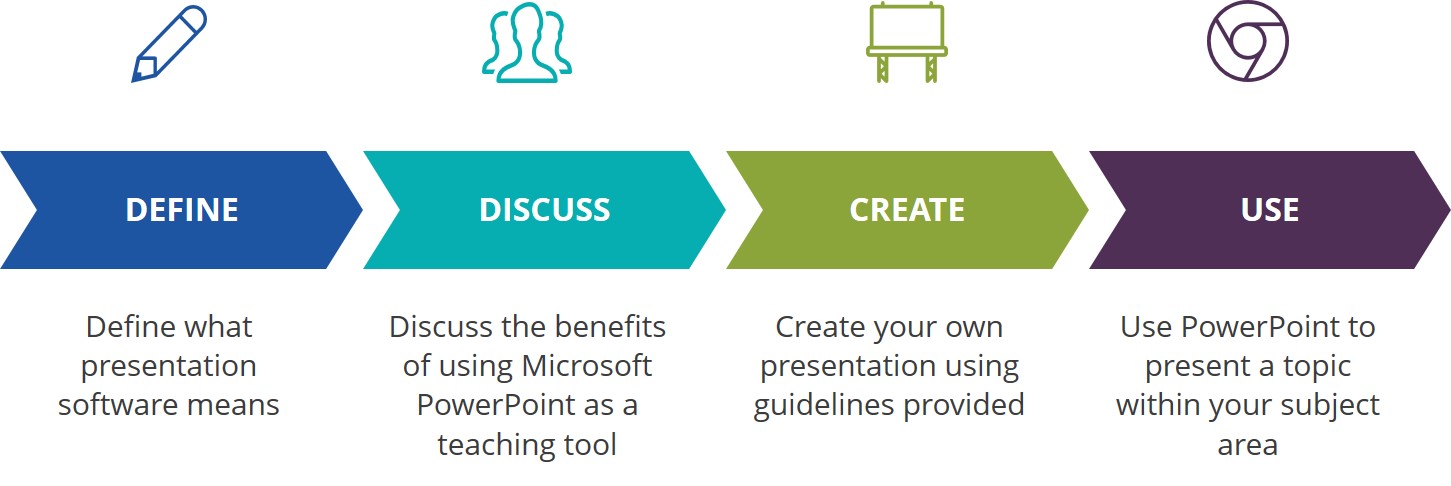
Click on the link below to begin your lesson:

Now that you have worked through an overview of Microsoft PowerPoint (PPT) and thought about ways in which this kind of tool can be used to enhance your teaching, it’s time to create your own short PPT presentation.

Click on the document below to see how you will be assessed for this assignment.
Badges & Points
There is a badge available on completion of the unit's lesson and assignment worth one (1) SACE professional development point.
Open Educational Resources (OER)
Full Copyright (but free to use)

This unit on Integrating Presentation Software into Teaching, part of the Teachers' ICT Integration Course by Matthew Goniwe School of Leadership and Governance is licensed under a Creative Commons Attribution-ShareAlike 4.0 International License with the exception of the following resources:
Goodwill Foundation. (2017). Getting Started with PowerPoint
All content not licensed under a Creative Commons license is all rights reserved, and you must request permission from the copyright owner to use this material.