Resource 5: Criteria for Selecting ICT Tools
معاينة
Choosing ICT Tools that Improve Learning (Not Just Look Modern)
Technology helps only when it supports good teaching—especially if we are moving from “teacher talks, students copy” to student-centred, active learning.
Quick check: Bad use of ICT = students click/watch. Good use of ICT = students think, discuss, create, solve, present.
Why use selection criteria?
- Use ICT with a purpose, not fashion.
- Reduce the digital divide—make sure all can participate.
- Support progressive methods: inquiry, collaboration, projects, reflection.
- Avoid tools that are heavy, costly, or hard to use.
- Make learners active, not passive.
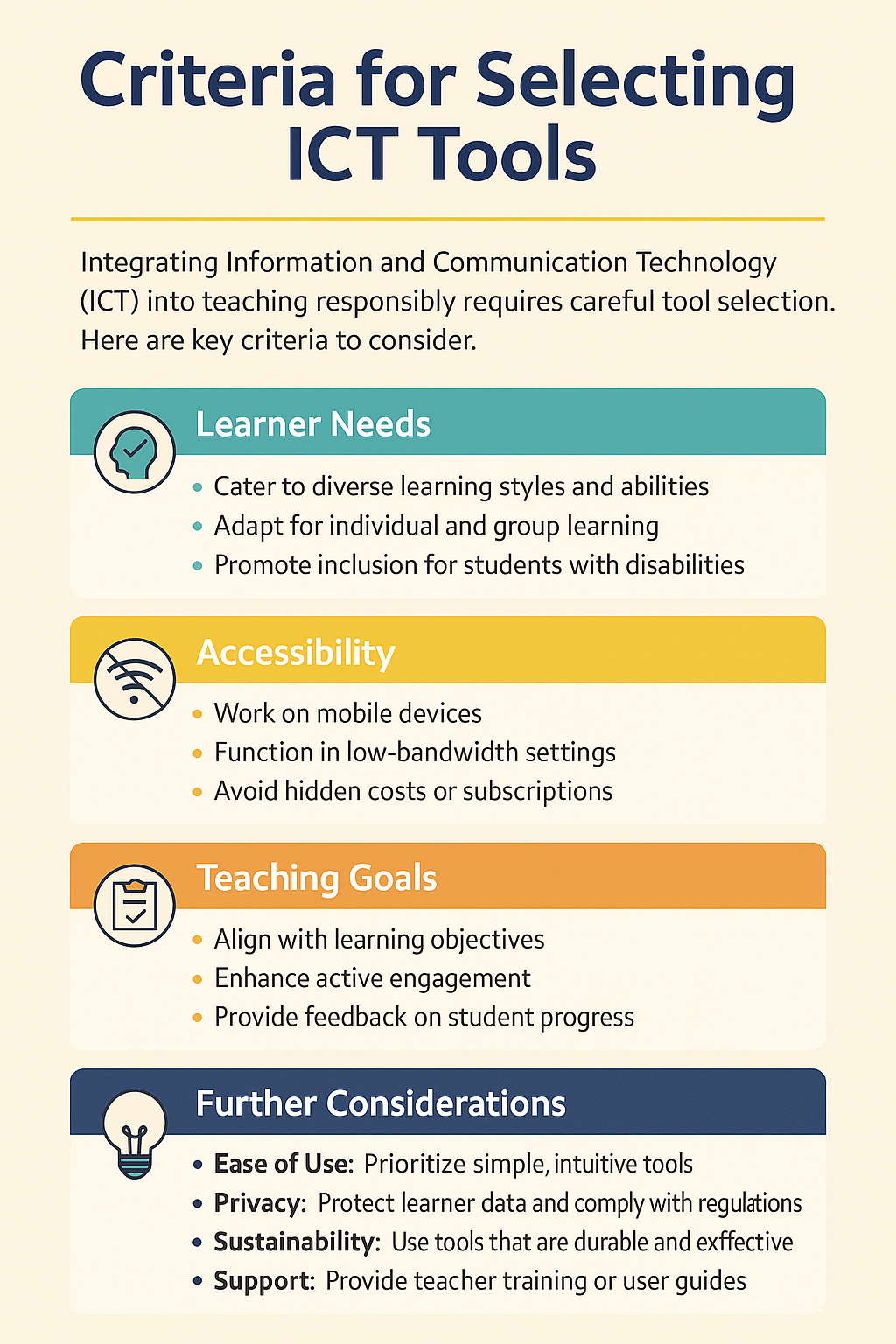
Key criteria when choosing a tool
1) Fit for learners
- Works for mixed abilities and learning styles (visual/audio/practical)?
- Usable in groups with one phone per group?
- Helps slower learners review; lets faster learners extend?
Example: H5P lets students replay, try questions at their own pace.
2) Access and context
- Works on mobile phones (common in Tanzania)?
- Low data / offline options? Hidden costs?
- Simple sign-in? (avoid complex barriers)
Example: WhatsApp & Google Classroom use little data and run on phones.
3) Pedagogical alignment
- Promotes doing (not just watching): inquiry, collaboration, projects.
- Enables quick feedback (teacher or peer)?
- Fits your learning outcome (not just “looks digital”)?
Example: Loom (short pre-class video) → Padlet group task → Kahoot check = active learning.
4) Practical & ethical checks
| Check | Meaning | Example |
|---|---|---|
| Easy to learn | Teacher & learners can use it quickly | Canva = drag-and-drop |
| Scalable | Works in large classes | Padlet wall for 50+ learners |
| Safe | Protects student information | Moodle privacy controls |
| Sustainable | Still useful next term | Open tools like H5P |
Simple rule: Start with the learning goal → then choose the tool. If it helps students think, collaborate, create, solve → keep it. If it only makes the lesson “look digital” → skip it.
Try this pattern
- Before class: 3–5 min Loom video (or voice note) for basics.
- In class (groups, one phone): Find two local examples & post to Padlet/Slides.
- Check: 3-question Kahoot/Mentimeter; groups justify choices.
One-sentence takeaway: The best ICT tool is the one every learner can access that clearly supports your outc
آخر تعديل: Thursday، 4 December 2025، 11:01 AM