Welcome

Why this Unit?  Developing strong internet search skills is essential for finding, evaluating, customising, and using quality digital resources to enrich your teaching and support student learning in today's information rich world. When you apply effective searching techniques and critically assess online sources, you model digital literacy and help your students become confident, responsible researchers. Recent national documents, such as the Education and Training Policy 2023, National Digital Education Strategy, the National AI Guidelines in Education, and National Digital Education Guidelines for Schools and Teacher Colleges, emphasise the importance of building digital competencies, including critical information literacy and the ethical use of AI-powered search tools. In this unit, you will describe the concept of the internet, apply effective searching techniques to find learning materials, identify credible and reliable academic sources, and explore searching with Artificial Intelligence. By the end of this unit, you will feel more confident navigating online information, distinguishing trustworthy content, and using AI tools responsibly to support your professional practice. This Unit is designed to support you as a digitally literate educator who empowers learners to search, evaluate, and use information ethically and effectively in their academic journey.
Unit Competencies
By the end of this Unit, you will develop the following competencies:
Searching with Artificial Intelligence (AI).
Lesson outcomes
On completion of this lesson, you will be able to:
1. Explain the role of internet search in teaching and learning.
2. Describe challenges pertaining to internet searching.
 Introduction
In this lesson, you will explore strategies and techniques for effective internet searching in education, which are essential for finding accurate, credible, and ethical information.
The unit introduces you to the skills needed to navigate the vast amount of information available online efficiently. In today’s digital world, mastering these strategies will enabling you to access relevant, reliable, and high-quality resources for your lesson preparation. Also, learning these strategies and techniques helps save time, improves the quality of academic work, and protects you from misinformation. Ultimately, effective internet search skills empower you to become independent, critical thinkers who can confidently use digital resources to support your career in education.
A strategy is a planned approach used to guide the overall process of searching for information on the internet. It involves deciding what information is needed, selecting appropriate keywords, choosing reliable websites, and evaluating the credibility of sources. An effective online search strategy ensures that the information collected is accurate, relevant, and trustworthy. In this case, a strategy focuses on the broader plan that directs how different search techniques will be used to achieve a specific goal.On completion of this lesson, you will be able to:
Instructions: Read the strategies and techniques in the links below then watch the video provided.
20-minute Practice: Smart Internet Searching
Time: 20 minutes total
“active learning strategies in secondary classrooms”digital literacy Tanzania teachers resourcescauses climate change infographicSubmission: Paste your answers into the Moodle assignment box or upload a short document that lists Tasks A, B, and C with your responses (links and short notes).
Purpose: Practice using exact phrases, keywords, and filters, and thinking quickly about credibility and classroom use. This helps you become a confident digital learner and teacher.
Practical Activity: Searching, Evaluating, and Citing Information
This activity will help you practice using reliable sources, smart search techniques, and proper citation just as described in the passage above. You will explore real Tanzanian education topics and learn to find, judge, and record trustworthy information.
 Introduction
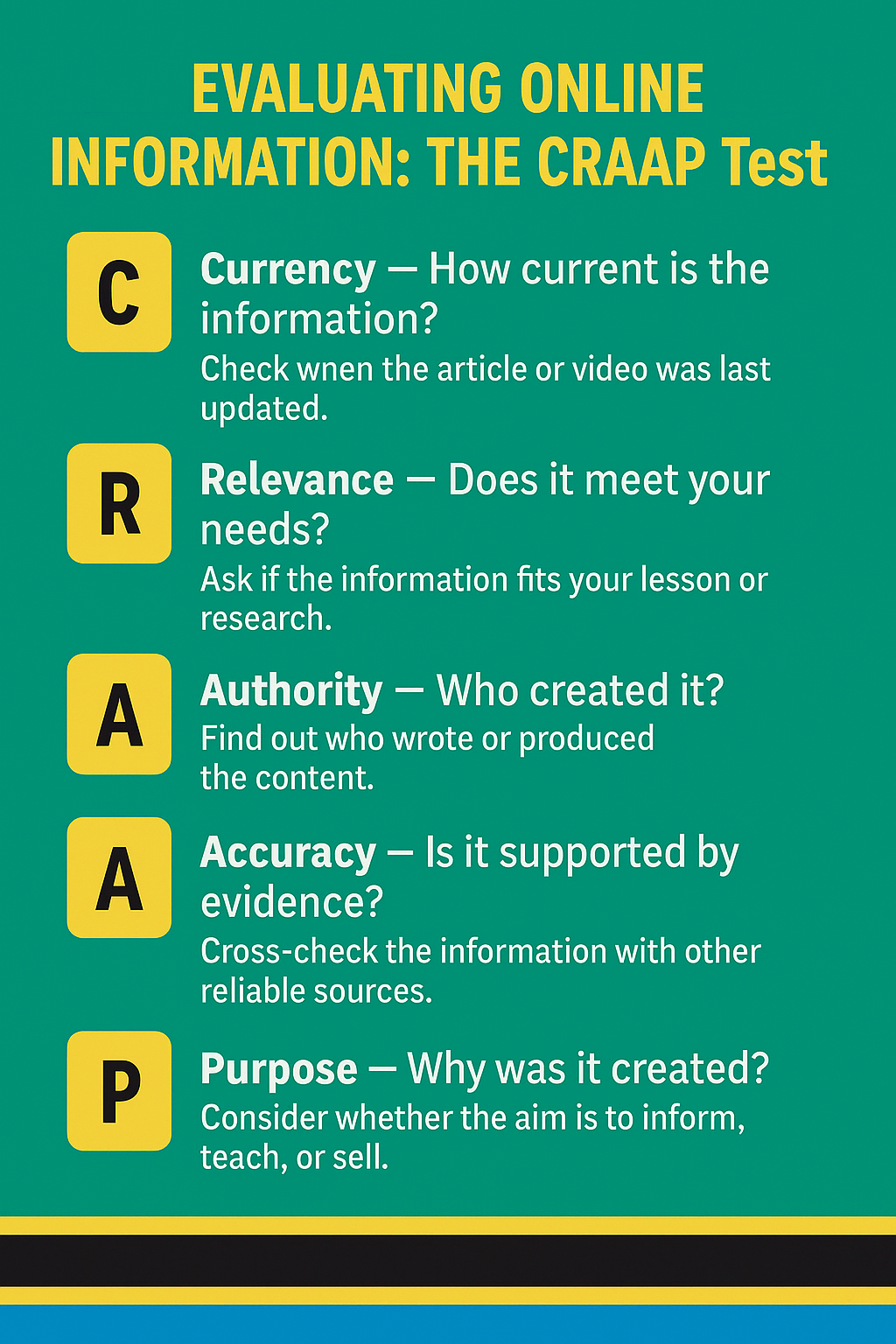
On completion of this lesson, you will be able to evaluate online learning resources based on credibility, accuracy, relevance, and currency.
Instructions
Using the links below, explore all the issues related to online resources, identify credible and non-credible sources, and learn to distinguish between different types of resources.
Lesson outcome
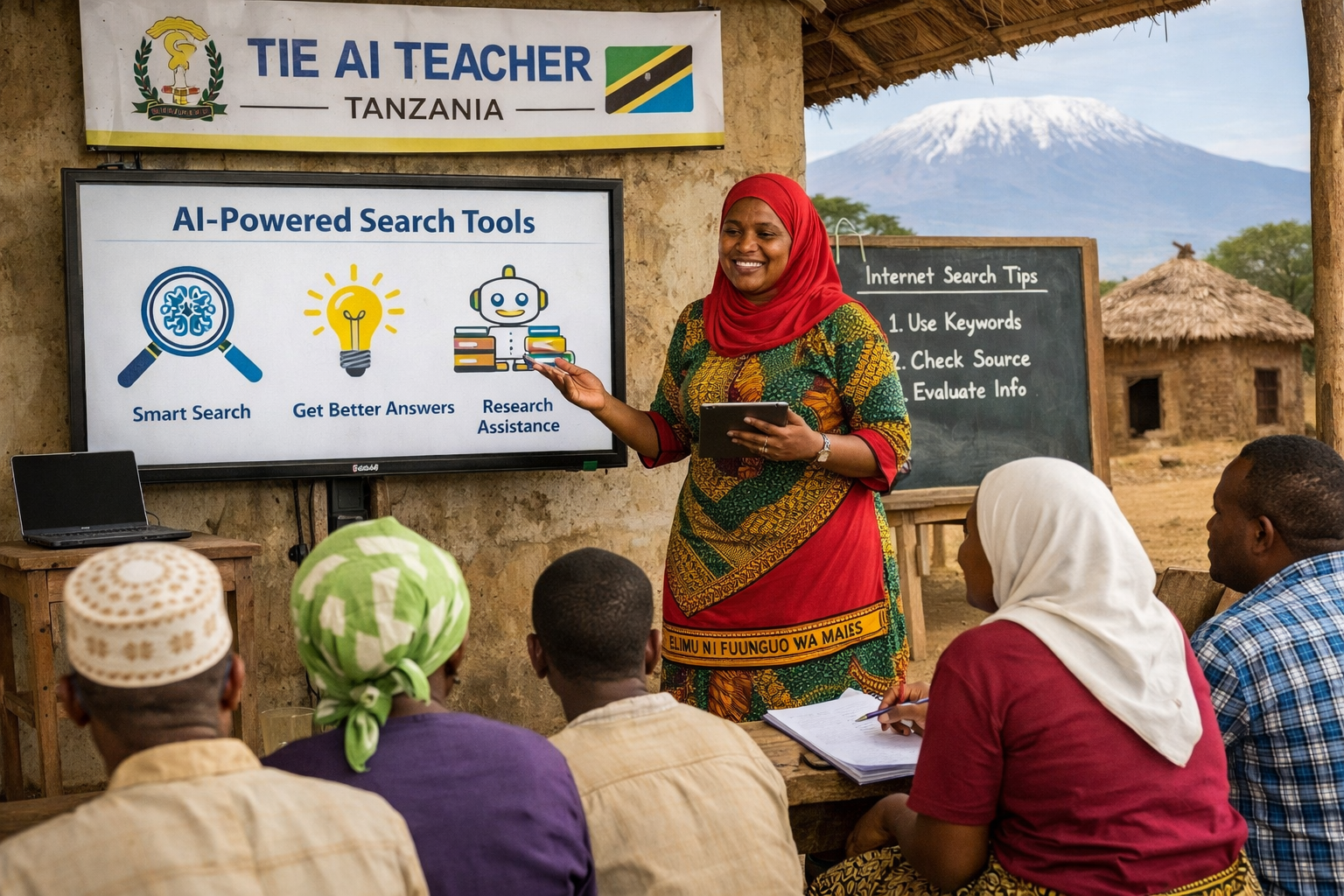
On completion of this lesson, you will be able to use AI tools to search online learning resources.
Instructions
At this point, you have covered how to describe the concept of the internet search, apply effective internet searching techniques to find quality learning materials, identify credible and reliable sources of academic information, and search using Artificial Intelligence (AI) tools. It is now time to engage in discussions with other teachers and share your strategies for finding, evaluating, and using online resources in your teaching practice. Click on the Discussion Forum below and read the instructions carefully. Click on Reply and post your answers based on your learning and classroom experience. Once you have shared your post, please read contributions from your fellow teachers and reply to at least two posts to exchange ideas, search tips, and reflections on using AI-powered tools for learning design and research. Your participation helps us build a stronger community of practices and promotes critical information literacy across our schools.
It is time to check your understanding of this Unit. Take a quick, friendly quiz to see how well you can describe the internet, apply effective search techniques, identify credible academic sources, and search using Artificial Intelligence.
In this Unit, you covered the concept of the internet search and how it connects teachers to vast learning resources worldwide. You engaged in learning activities and participated in the discussion forum to share what you learned about applying effective internet searching techniques for finding quality learning materials. You also practised identifying credible and reliable sources of academic information while exploring how to search with Artificial Intelligence (AI) tools. By developing these skills, you now have stronger strategies to find, evaluate, customise, and use online resources confidently in your teaching practice.
You have done excellent work sharpening your internet search skills and learning to spot trustworthy information online. Now that you can apply advanced search techniques and use AI-powered tools, you are ready to help your students become smarter digital researchers, too. Keep practising these skills and sharing your discoveries with colleagues to build a culture of critical information literacy in your school. Congratulations on completing this unit and becoming a more confident, savvy internet user for education.
NOU25 ED47. (2025). How to search the internet intro [YouTube video].
https://youtu. be/c_DQRGLlemM?si=EQRxpuZUjAHKXws4
Greenley Library, SUNY Farmingdale State College. (2023). Introduction to information literacy [YouTube video].
https://youtu. be/CGj-9l4khQo?si=M272mLlzERyfStme
Shake Library. (2023). Evaluating resources with CRAAP [YouTube video].
https://youtu. be/UST2zJjGQ4I?si=StLXGAZ5DGvU7jYs
Weller Library. (2020). Evaluating sources using CRAAP [YouTube video].
https://youtu. be/2WJN-U4j2_A?si=OyX6X-xAZDoSxTy0

Internet Search by Tanzanian Ministry of Education, Science and Technology is licensed under a Creative Commons Attribution-ShareAlike 4.0 International License.