Welcome
 Why this Unit?
Transforming assessment through ICT is essential for creating fair, efficient, and meaningful ways to measure and support student learning in today's digital classrooms. When you use digital assessment tools thoughtfully, you gain richer insights into learner progress while saving time and providing timely, actionable feedback. Recent national documents, such as the National Digital Education Strategy Guidelines for Schools and Teacher Colleges, National AI Guidelines in Education, and Education and Training Policy 2014, 2023 Edition, emphasize the importance of using technology to enhance assessment practices while upholding ethical standards and data privacy. In this Unit, you will demonstrate competence in using ICT tools to plan, implement, and manage effective digital assessments while ensuring ethical practice and protecting learner data. By the end of this Unit, you will feel more confident designing assessments that are both innovative and responsible, aligning with national expectations for quality education. This Unit is designed to support you as a reflective practitioner who uses technology to make assessment a powerful tool for learning, not just measurement.
By the end of this unit, you will be able to:
Recommended time: 2 hours
Lesson outcomes
By the end of this lesson, you should be able to:
Watch the video provided carefully to explore and understand how digital assessment tools are used in teaching and learning.
Introduction
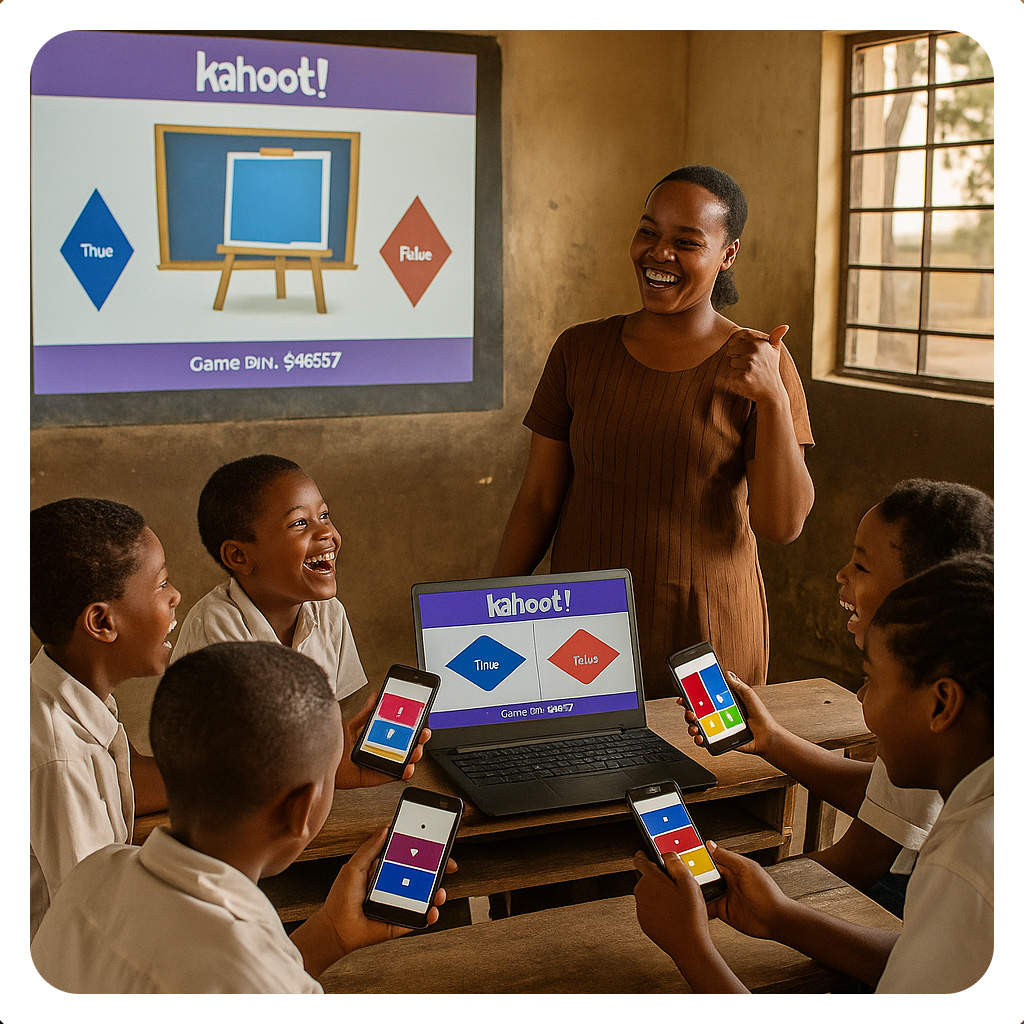
Digital quizzes and surveys transform the way we measure learning. They offer a flexible and dynamic approach to assessment, making it easy for learners to respond, reflect, and receive feedback instantly. These tools bring excitement to learning, foster collaboration, and give teachers insights into learners’ progress, making education more effective and meaningful.
Lesson outcomes
By the end of this lesson you will be able to:
Online quiz and survey tools are widely used in modern education to enhance learning and assessment. Selecting the right tool ensures effective engagement, accurate tracking, and meaningful feedback for learners. Click the page icon below to access factors to consider when choosing the assessment tool.
Preparation of Online quiz
Before preparing an online quiz, a teacher needs to think carefully about how the assessment will serve its purpose in teaching and learning. A well-prepared quiz does not only test what learners know but also supports their progress by giving meaningful feedback, encouraging participation, and ensuring fairness. To achieve this, teachers must reflect on the goals of assessment, the design of questions, accessibility, and the digital tools they intend to use. Below are the links to the videos which show necessary step for preparing quiz and survey through various tools
Activity 2
Visit the internet using the links below. Prepare a quiz or survey based on the your teaching subject, using either of the tools investigated and then share with your colleagues using the forum below.
 Introduction
Peer and self-assessment shift the focus of learning from the teacher to the learner. By reviewing their own work and that of their peers, students gain a deeper understanding, identify areas for improvement, and build confidence in their learning journey. Such approaches promote active participation, fairness, and accountability while fostering skills that are useful both inside and outside the classroom.
Lesson Outcomes
By the end of this lesson, you will be able to set up a peer evaluated assessment.
Please, click the link named Importance of Peer Assessment and read the provided pages below and watch video clips to gain more clarification on the importance of peer and self assessment.
Activity: Peer Assessment
Welcome to this Peer-Assessment Demonstration Activity
This Moodle LMS has a built in Peer Assessment tool called a 'workshop'. We have set up this activity so that you can experience how peer assessment can be done using technology. In this activity you will be able to:
Now let us pool our experience of peer assessment. Use the forum below to discuss,
Introduction
Data Privacy and Ethical Use of Assessment Technologies refer to the responsible handling of learners’ personal and academic information when using digital tools for assessment. Teachers and schools must ensure that data collected through online quizzes, surveys, or learning platforms is kept secure, used only for educational purposes, and shared only with authorized individuals. Ethical use also involves gaining consent, being transparent about how data will be used, and avoiding misuse such as bias, discrimination, or unauthorized access. By protecting privacy and promoting fairness, educators build trust and create a safe digital learning environment.
Lesson outcomes
By the end of this lesson, you will be able to apply ethical guidelines and data privacy principles in digital assessment.
Lesson content
At this point, you have covered how to demonstrate competence in using ICT tools to plan, implement, and manage effective digital assessments, while ensuring ethical practice and protecting learner data privacy. It is now time to engage in discussions with other teachers and share how you are using technology to make assessment more meaningful, efficient, and fair in your classroom. Click on the Discussion Forum below and read the instructions carefully. Click on "Reply" and post your answers based on your learning and classroom experience. Once you have shared your post, please read contributions from your fellow educators and reply to at least two posts to exchange ideas, practical tips, and reflections on ethical digital assessment. Your participation helps us build a stronger community of practice and promotes responsible, innovative assessment practices across our schools.
 In this Unit, you covered how to use ICT tools to plan, implement, and manage effective digital assessments in your classroom. You engaged in learning activities and participated in the discussion forum to share what you learned about ensuring ethical practice and protecting learner data privacy. You also demonstrated competence in selecting appropriate digital assessment methods that align with your teaching goals and curriculum requirements. By exploring these strategies, you now have practical ways to make assessment more efficient, fair, and meaningful for your students.
You have done fantastic work building your skills in digital assessment and ethical data management. Now that you can plan and implement technology-supported assessments, you are ready to enhance how you measure and support student learning. Keep applying these practices to create assessments that truly reflect your learners' progress and potential. Congratulations on completing this unit and strengthening your assessment practice with confidence and care.
ICT to Support Assessment by Tanzanian Ministry of Education, Science and Technology is licensed under a Creative Commons Attribution-ShareAlike 4.0 International License.
Learning Designer: Patrick Sitta
Adapted OER: